
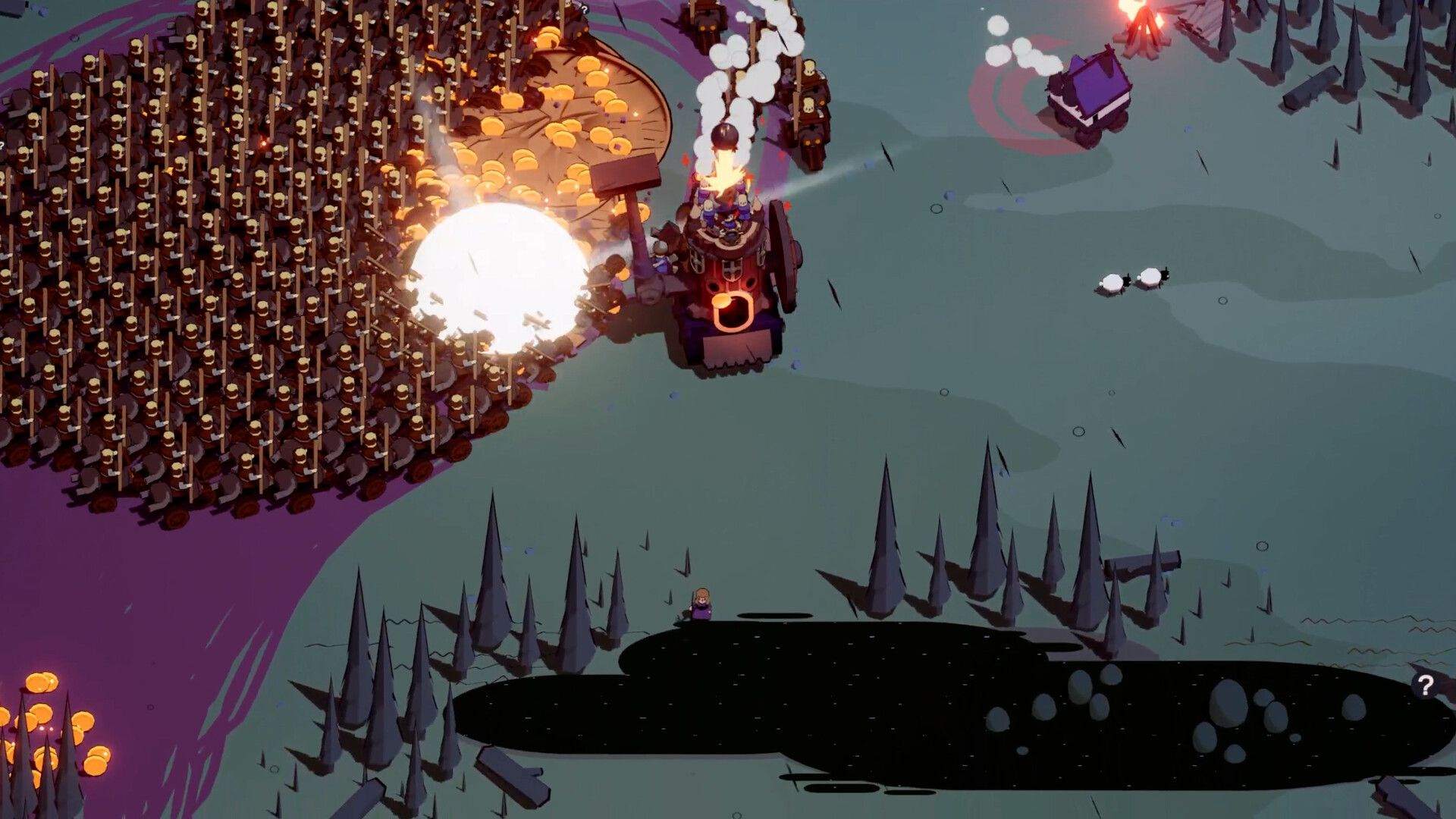
Wanderburg Vehicles: The Castles the Devs Have Named
Wanderburg vehicles: the officially named Tower and Spider castles, the enemy Mole and Ballista, and why an unlocked vehicle may still refuse to start.

The developer has never said how many vehicles exist, and has never published unlock conditions. But two things are confirmed: there is more than one vehicle, and their handling keeps changing.
On 8 September the patch notes fixed the Spider loadout freeze and the enemy vehicle Ballista. On 9 September, Tower and Spider both got faster handling in early levels, and Spider’s speed upgrades were nerfed.
Community write-ups claim Spiderburg needs all four Golden Dunes bosses, and that it has two Top slots and no Side slot. Those are player notes.
Keep one rule in mind: if a swapped-in castle refuses to start, check your slot types before replaying any boss.
Vehicles the patch notes name
| Vehicle | What the official notes changed | Version |
|---|---|---|
| Tower (player) | Handling tuned, faster in earlier levels | 0.9.9 |
| Spider (player) | Handling tuned, speed upgrades nerfed; extra protection against a loadout freeze | 0.9.8 / 0.9.9 |
| Mole (enemy) | No longer gets stuck on units | 0.9.9 |
| Ballista (enemy) | Wheel animation fixed | 0.9.8 |
The Steam store lists vehicles alongside artifacts, captains and modules as the four between-run unlock categories — the clearest official statement that a vehicle means a different starting chassis.
A new vehicle changes your slots too
The key community note: Spiderburg’s layout is 2 Top slots, 1 Front, 1 Back, no Side.
It does not inherit the starter castle’s pattern. The second Top slot is what usually blocks people — if you only own one usable Top module, the vehicle unlocks and still will not start.
The notes never mention slots, but 0.9.8 did fix a “Spider player vehicle loadout freeze”. That confirms the vehicle carries its own loadout logic.
Vehicle will not start? Work out which case you are in
| What you see | What is actually wrong | What to do |
|---|---|---|
| No unlock message, vehicle not in the list | Unlock objective not finished | Go finish it (player notes say all four Golden Dunes bosses) |
| Vehicle is listed, but selecting it refuses to start | A slot type has no module | Add a Top-type module. Buying a Side module or a Captain will not fix it |
Order of checks: look at the slot icons, confirm the module type is Top, and only then question the unlock condition.
If the game is telling you about a slot, replaying bosses changes nothing.
Unlocking Spiderburg (player notes)
- Push the opening maps until Golden Dunes and its Land objective open up.
- Clear all four bosses in Golden Dunes. Partial progress does not count.
- Check the loadout and make sure you own two usable Top modules before starting a run.
The good news: once the unlock message appears, the progression gate is already done. Everything left is module collection.
Add a second Top module — Top Mortar, Archer Tower and Fire Mage are the ones players mention — and the castle starts normally.
How to check this yourself
Vehicles are one of the most frequently changed parts of the game. Read the Steam announcement feed directly: vehicle changes appear under Bug Fixes and Gameplay & Controls.
This page reflects the official wording as of 2026-09-18, plus the player notes that were current at the time.
Sources: Steam announcement 0.9.8, 0.9.9, Steam store page, official Press Kit; slot layout and unlock path compiled from whisperofthehouse.com (player notes, not officially confirmed).
Watch: I Tried the Spiderburg Vehicle and I Love It! | Wanderburg | Early Access
Related Articles
guide
Wanderburg Builds and Upgrades: Growth, Rerolls and Nitro
Wanderburg builds and upgrades: growth by eating and bosses, run versus between-run progression, the official reroll rule and the 0.5 second nitro delay.
guide
Wanderburg Captains and Unlocks: The Five the Devs Have Named
Wanderburg Captains and unlocks: the five Captains named in official patch notes, the four between-run unlock categories, and the reroll rule.
guide
Wanderburg Modules Unlock Guide: How Modules Enter Your Pool
Wanderburg modules unlock: the four ways modules enter your pool, the modules named in official patch notes, and the reroll rule tied to unlocks.